Every site visit leaves a signed record.
Vordr is the checklist the technician carries and the document the venue signs. Templates are versioned, answers are sealed, and every action a visit raises lands on one board.
Three steps. One record.
Sections, questions, the answer that raises an action, and follow-ups that only appear when they are needed. Publish it and version 1 is fixed.
Scan the QR label, bind the device, answer each question, add a photo where asked. A fail becomes an action before anyone leaves the venue.
Signature, witness, time and place go into the record. From then on it cannot change, and it is the document both sides refer back to.
Ask the next question only when the last answer needs it.
Each question shows its possible answers as a strip; the one that raises an action is marked. Follow-ups nest under the answer that opens them, so a template reads the way a visit runs. Published questions keep their key and type, so a year of old answers still line up with today’s report.
Only signed records count.
Analytics read from sealed records and nothing else. See which questions fail most, which venues keep raising actions, and how each technician’s month compares with the team. Every number links back to the record it came from.
Open a sample venue report →Scan, answer, hand it over to sign.
The technician app runs on the phone already in their pocket. A label scan binds the exact device, follow-ups only appear when an answer needs them, and the venue signs on the same screen.
For technicians →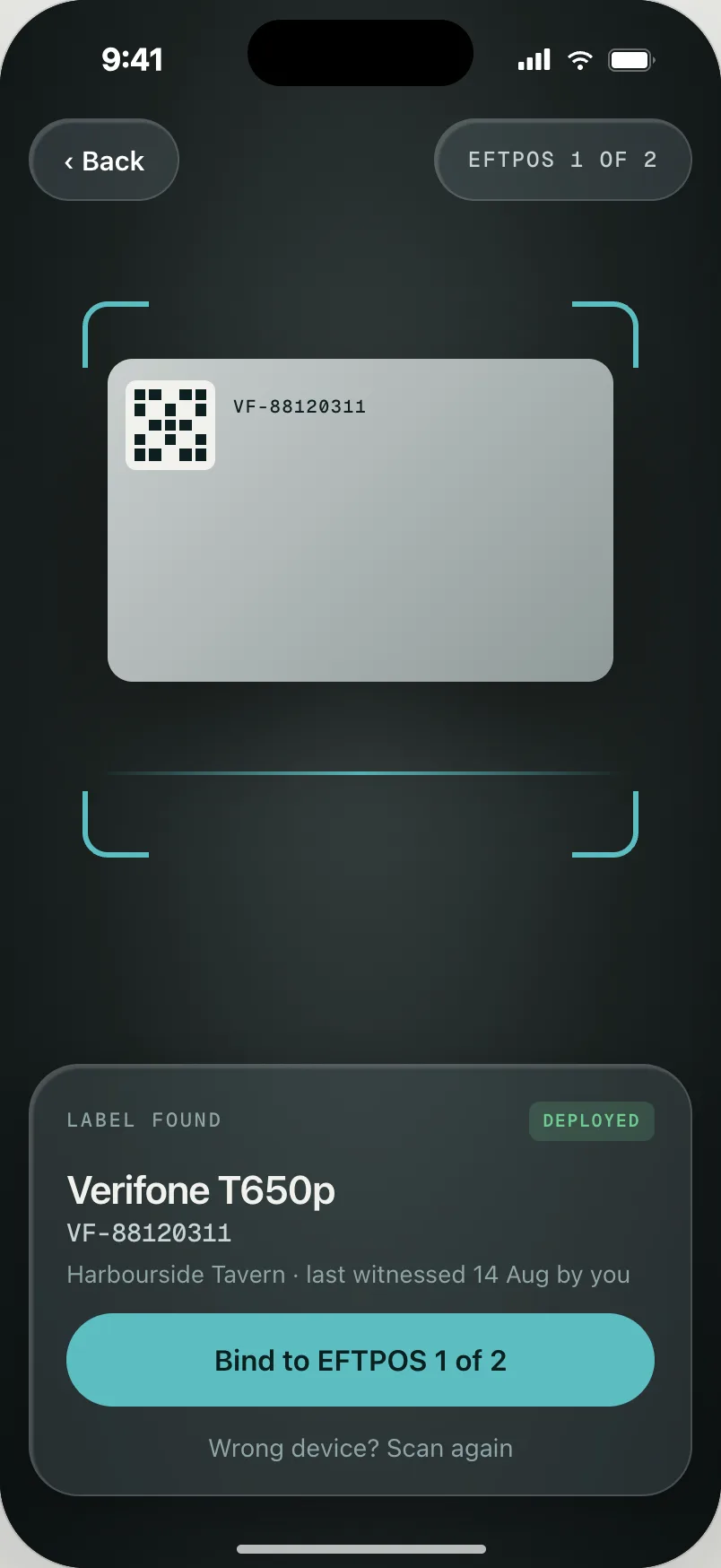
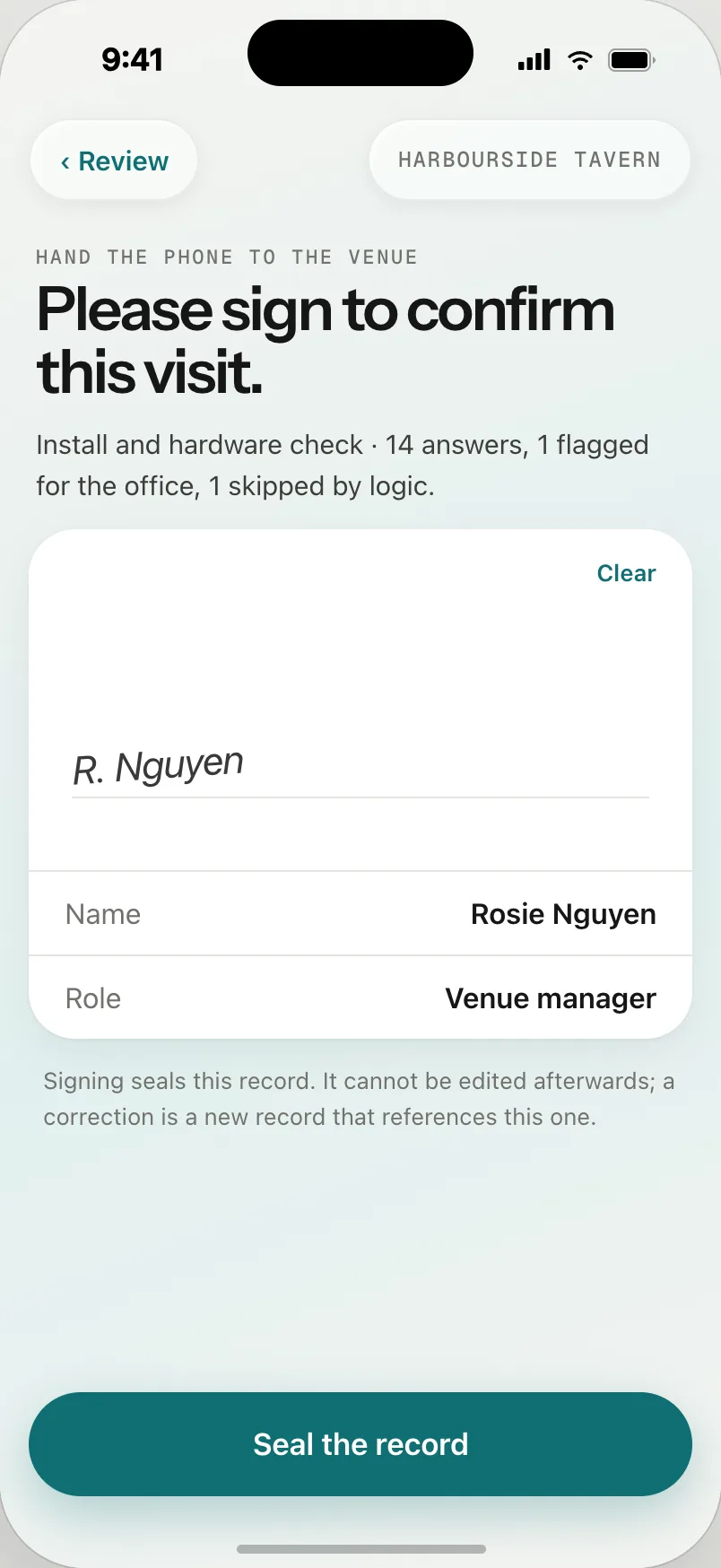
A record that cannot be edited is a record you can rely on.
How records are protected →Asked often.
Who uses Vordr?
Bepoz onboarding technicians on site, and the onboarding and support teams who review, assign and close what those visits raise.
How do I get the app?
Your admin sends an invitation. Open it on your phone, set a password and you land in your surveys. Step by step →
What happens when an answer fails?
An action is raised on the board with the venue, ticket, question and answer attached. It stays open until somebody resolves it.
Can a template change after it has been used?
Yes, as a new version. Published questions keep their key and type so old answers still line up; new questions arrive as drafts until the next publish.
Where do venues and tickets come from?
From HubSpot. Vordr pulls deals and venues on a schedule; the dashboard shows the age of the last pull.